Most Shopify merchants think about backups the way they think about insurance: vaguely, and only after something has already gone wrong. The cost of going without isn’t theoretical, though. It shows up in lost sales, recovery hours, and customer trust that doesn’t always come back.
This post covers the four common ways a Shopify store breaks, what each one costs, and what a working backup strategy actually needs to do.
The four ways Shopify stores break
Almost every backup-worthy incident falls into one of four categories.
1. Human error. The most common cause. Someone clicks the wrong button. A bulk edit applies the wrong filter. A new staff member deletes a collection thinking it’s a duplicate. Human error scales with team size: the more people who can edit your store, the higher the odds someone breaks something. Most stores don’t notice until a customer complaint or a missing product in search results.
2. Bad data imports. CSVs are the easiest way to mass-edit a Shopify store. They’re also the easiest way to mass-destroy one. A misaligned column, a missing header, or a forgotten quote character can overwrite live products, replace SKUs with empty strings, or wipe inventory counts. The damage isn’t visible until the import runs, and by then it’s usually too late to reverse.
3. Third-party app misbehavior. Most stores run 10 to 30 apps. Each one is a separate company with its own engineering team and track record. When an app misbehaves (a bulk editor with a bad query, a sync tool that overwrites master records, or a translation tool that corrupts descriptions) you typically find out hours or days later. The vendor may or may not be able to roll the changes back for you.
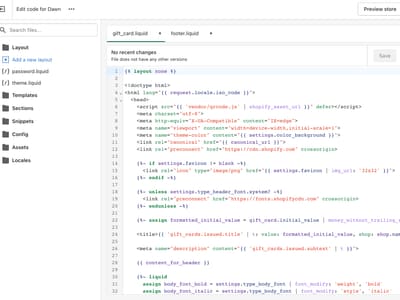
4. Theme and code mistakes. Storefronts break for two main reasons: a theme update introduces a regression, or a custom edit breaks rendering. Both are easy to do. Both can take checkout offline. If your store relies on theme customizations, every developer touch is a risk. Without a saved version of the working theme, rolling back means rebuilding from memory.
What each one actually costs
The headline cost is lost revenue. If your store does $2,000 a day and the checkout is broken for 24 hours, that’s $2,000 you can’t recover. But the bigger costs are the ones merchants forget to count:
- Ad spend driving to broken pages. Every dollar going to Meta, Google, or TikTok during the outage is wasted.
- Refunds for half-completed orders. Customers who got partway through checkout and hit an error often charge back rather than try again.
- SEO traffic loss. Search engines that crawl during the outage may downrank pages they can’t load.
- Customer trust. A returning customer who hits a broken product page often doesn’t come back.
- Recovery time. Rebuilding manually takes hours or days you’d rather spend selling.
Why manual recovery falls short
Shopify doesn’t expose a self-service way for merchants to undo bulk changes or restore deleted items. If you delete a product, there’s no Undo button. If a CSV import overwrites your inventory, the previous values are gone.
The manual workarounds (CSV exports, theme downloads, cached page copies) only help if you set them up before the incident, and only cover a fraction of what a store actually contains. Metafields, metaobjects, page content, blog posts, and file assets usually aren’t in any export you have on hand.
What a working backup strategy needs
A useful backup strategy answers four questions:
- What’s covered? Backups should cover the supported data types your store relies on: products, collections, themes, pages, and more. For detailed coverage, see the docs.
- How often does it run? Daily is the minimum for active stores. More frequent if you have high edit volume.
- How precise is restore? You usually want to recover the affected item, not roll the whole store back to yesterday.
- Can you restore it yourself? When the store is down, hours matter. Waiting on a support queue makes the cost worse.
BackupMaster runs backups automatically and lets you restore supported items from previous backups. Detailed coverage and restore behavior are documented in the docs.
Start before you need it
The merchants who get the most value out of a backup app are the ones who set it up before anything has broken. By the time you need it, it’s too late to wish you had one.
Start your free trial of BackupMaster today →